
Описание
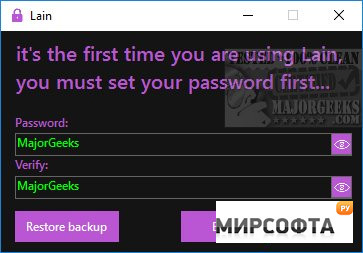
Lain is a simple, secure, and portable password manager. On the first run, you\\\'ll need to create a master password. From here, you can also restore a backup. Lain\\\'s interface is simple to use and understand. You can create New, Edit, Delete, Lock, or choose Options from the sidebar. Optionally you can also Delete all, Reset, or About. To create a new one, enter the name, username, and password and leave a note. You can also generate a random password. Random passwords during our tests were long and would be difficult to crack, for example, \\\"yFuDfGqTIa9K9o30wBUjxylNhuZ6WotzxuGQDoSwQn8=.\\\" You can start Lain with Windows, and it will automatically lock when inactive, although you can click on Lock at any time. Don\\\'t forget your master password. If you do, you\\\'re locked out for good. Lain delivers on its promise to provide a simple way to manage your passwords at any skill level. Some web browsers or Windows Security may block this download with the Failed – Virus Detected on Windows error. Similar: How to View, Edit, and Manage Your Google Chrome Passwords How to Secure Your Facebook Account How to Fix the User Name or Password Is Incorrect How to Show Hidden or Masked Passwords Behind Asterisks How to Find Your Wi-Fi Password