Описание
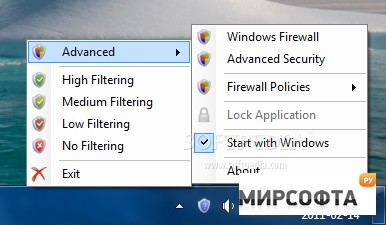
Windows Firewall Control is a nifty little application which extends the functionality of the Windows Firewall and provides quick access to the most frequent options of Windows Firewall. It runs in the system tray and allows user to control the native firewall easily without having to waste time by navigating to the specific part of the firewall. This is the best tool to manage the native firewall from Windows 8, Windows 7, Windows Vista and Windows Server 2008.Features: Intuitive and easy accessible interface in the system tray. Full support with standard user accounts. Elevated privileges are required only at installation. Create temporary rules which are automatically deleted when they expire or on program restart. Disable the ability of other programs to add Windows Firewall rules. Multiple and easier ways of creating new rules in Windows Firewall. Full support of creating, modifying and deleting Window Firewall rules. Lock feature which can disable the access to the settings of the program and Windows Firewall. Shell integration into the right click context menu of the executable files. Search for invalid rules with the possibility to delete them. Search for executable files through folders and create new rules in seconds. View recently blocked connections and create new rules from the logs: inbound and outbound. Choose if you want the program to start at user logon. Import and export the settings of the program. Protection to unauthorized uninstallation. Possibility to restore previous settings at uninstallation. And many more. Just try it out. Change Info:- Improved: It is now possible to do multiple tasks at once in Manage Rules window.While the data is loading in Recently Blocked view, the user can also search for executable files in New Rules Wizard and he can also create new rules in Manage Rulesview. In the previous versions, while a long task was running the other actions weredisabled. Now, multiple long running tasks can be executed in the same time.- Improved: The partial policy files have now the extension *.wpw. This will help the user to identify more easily what kind of file he will import.- Fixed: When creating a new rule from the Notification dialog, the newly createdrule is created for \"All\" location even if in Control Panel the user defines something else, for example only Domain.- Fixed: When using Recently Blocked window, after you create a new rule it is notpossible to create a second rule until you don\'t refresh again the list.- Fixed: When using \"New Rules Wizard\", after the user browses for the folder where to search for executable files, the search does not start automatically.- Fixed: The result dialog indicates a successful action after the user chooses toimport a policy file, even if the file was not valid and nothing changed.Limitations:Requires Microsoft .NET Framework version 4.0