Описание
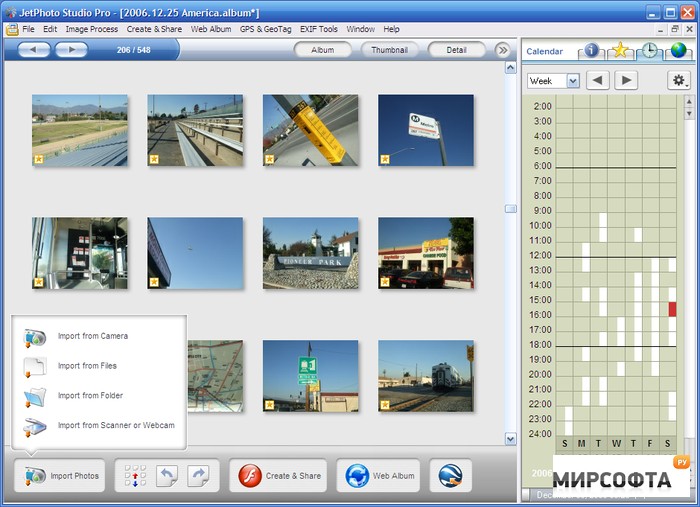
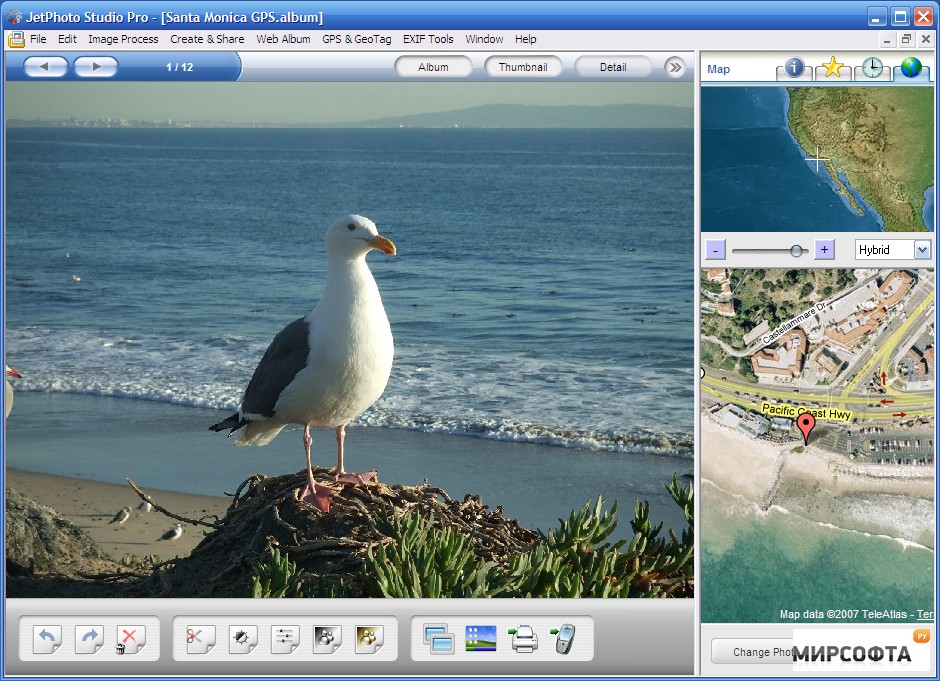
Long gone are the days when you took photos, printed them and kept them in your photo album. With the advent of digital cameras, our approach to pictures has completely changed. Creating, editing, publishing and sharing are now part of our daily photographic experience. JetPhoto Studio is an application to handle digital snaps on your PC and the net. JetPhoto Studio will import pictures from your camera as soon as it is connected to your PC. We like how the main interface includes a calendar to let you browse photos by date. Jet Photo Studio has fairly basic editing tools, and functions like crop, sepia, black and white, image contrast, and auto enhancing, which will allow you to personalize your photos. You can also batch resize your photos and protect them with a watermark. JetPhoto Studio also allows you to rate photos by adding a star next to the ones you prefer. You can set tags to quickly identify related pictures, but annoyingly youРІР‚в„ўll have to create new ones for each individual album. On the multimedia side, JetPhoto Studio gives you a number of tools to help you play around with your pictures. Making screensavers, wallpapers and slide-shows is extremely easy and quick. You can also create two types of Flash movies, stand-alone or deluxe, the first being a typical slide show, and the second showing an animated thumbnail list of your selected images. The only downside is that you canРІР‚в„ўt set the types of animations and speed of transitions. You can use JetPhoto Studio to send images, via MMS or infrared, to your friendsРІР‚в„ў mobiles, yet however exciting this sounds, the feature is not really up to standards. YouРІР‚в„ўll actually need to know your friendРІР‚в„ўs mobile brand and exact model and even if you do, thereРІР‚в„ўs no telling whether the service will work in your country. We found that JetPhoto Studio did not support this feature in Spain. Another promising feature is locating photos thanks to GPS. If you have a GPS receiver and Google Earth set up on your PC, this feature is especially easy to use. Connect your receiver to your PC, pick the model and your time zone, and launch Google Earth. Your selected pictures will automatically be tagged with the desired locations in your Google Earth. If you donРІР‚в„ўt have a GPS receiver, you can also point the photo location on a map. However this feature seems prone to bugs and we did not manage to generate maps properly. JetPhoto Studio allows you to quickly upload images to the online photo sharing service Flickr, and itРІР‚в„ўs very easy to order quality printed copies via PrintExpress. The JetPhoto Server tool is also a good way for anybody with some scripting knowledge to upload and edit their photo albums onto their weblog or personal website. We have fairly mixed feelings about Jet Photo Studio. It lets you manipulate photos in all sorts of ways, creating Flash movies, posting to Flickr or your website, and locate photos with your GPS. However sending images via mobile is not really up to scratch and Flash movies can not be customized. We were also disappointed that JetPhoto Studio doesnРІР‚в„ўt automatically import images already on your PC. A promising image viewer, but itРІР‚в„ўs not guaranteed that JetPhoto Studio will appeal to everyone.